For Builders & Contractors
Exterior support for your next build.
Installation, labor, materials or a reviewed takeoff. Tell us what your project needs.
START A REQUEST
What do you need?
Pick the service that fits this bid — the mode belongs to the bid, not to your company.
 Sheathing and weather-barrier brands for Material Supply and Turnkey bids include ZIP System® — supply is priced from your material list.
Choose a service above
The scope, what is included, and what we need from you appear here for the service you pick.
Your project request
Request saved
- Order ID
- Request mode
Next: upload your plans and answer the scope questions for your trades. Your access token is saved in this browser; your Order ID and the email on the order are how you resume from another device.
RETURNING?
Resume a request
Email me a secure resume link
Enter the details from your receipt. For your security, the link is sent only to the email already saved on the order. It works once and expires after 15 minutes. Email alone never grants access — the link itself is the key.
Preview status: secure resume links are not sent from this preview yet. Requests are recorded and held for staff follow-up — no email leaves this preview.
Advanced / support — resume with an Order ID and access token
Have your Order ID and access token from your receipt? Enter them to pick up where you left off in this browser.
Your token was issued when you created the order. It expires after 7 days. Email alone cannot resume an order.
HOW WE WORK
Built for builders
Every request names the mode, trades, and structures for this bid — nothing is assumed.
Your request, uploads, and questions live on one order, start to finish.
Reviewed takeoffs ship as PDF, CSV, and a web view — same frozen version, same numbers.
SAMPLE OUTPUT
What a reviewed takeoff looks like
Every released takeoff ships as PDF, CSV, and a web view — same frozen version, same numbers. The sample below uses fictional data.
See the sample report
- Scope summary — trades, structures, property, mode, build type, and who reviewed it.
- Material lines — measured quantity, waste allowance, needed and buy quantities per product.
- Purchase summary — quantities grouped by product, specification, and packaging.
- Scope notes — assumptions frozen at review, what's included and excluded, and anything needing review.
- Version & disclaimer — report version and content hash; the takeoff is an estimating aid, not a building inspection, engineering design, or guaranteed purchase list.
PURCHASE PORTAL
Takeoff portal
Submitted a takeoff request and received a scoped offer? Open the takeoff portal to load your purchase offer, review it, accept it, and check out.
Staged draft: pricing shown in the portal is a fictional sandbox test price — no real payment is processed.
THE PROCESS
Three steps
- Tell us the scopeMode, trades, structure, and project location — three short steps, nothing more up front.
- We review the requestA person checks the scope against your plans and flags anything missing.
- You receive the next stepsConfirmed scope, any scoped offer, and what happens next — in writing, on your order.
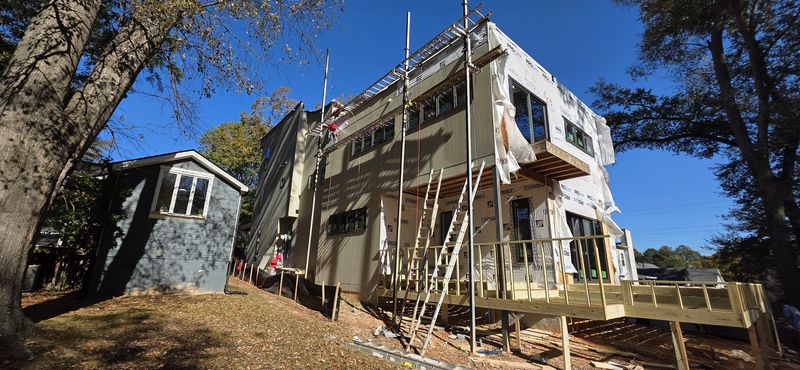
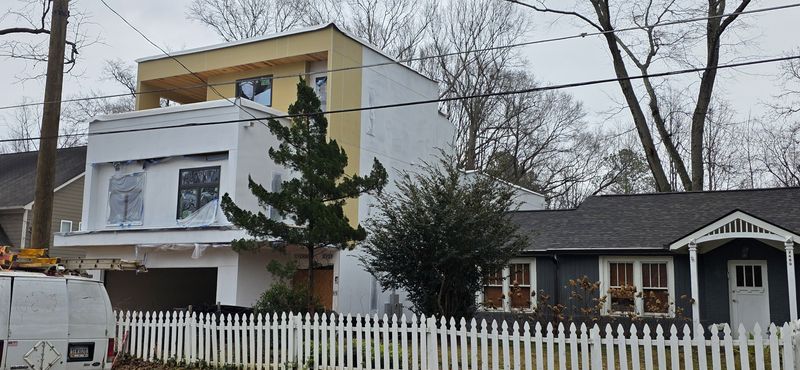
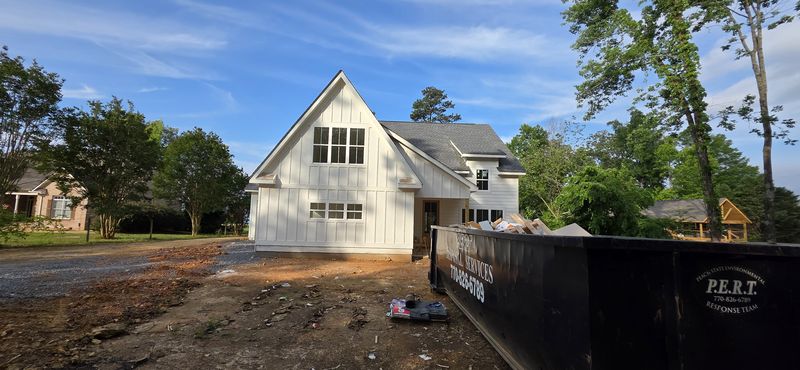
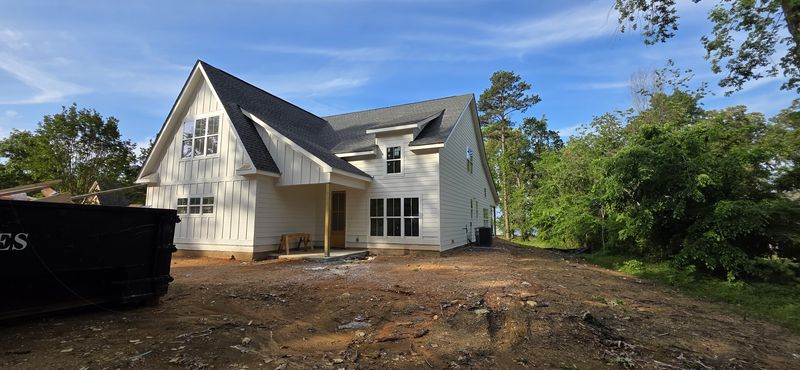
On Site
Our crews, mid-project.
Real Diaz job sites, photographed while the work is underway — not staged after the fact. Stages are labeled as they were.
INSTALL WITH DIAZ
Join our trade partner network
Skilled exterior crews deserve clear scopes, organized projects and straightforward communication. Tell us what you install. We'll review your work and explain the next steps.
English / Español available. No paperwork needed to start. Applications do not guarantee work or approval.
QUESTIONS
Before you submit
Does submitting a request commit Diaz to a price or schedule?
No. Every request is reviewed first. Confirmed scope, pricing, and timing come back in writing before any work is agreed — a submission by itself commits neither side.
Does a materials request purchase materials?
No. Submitting starts a review of availability, delivery, and pricing for your list. Nothing is ordered or charged by submitting a request.
How is a takeoff priced?
Takeoff pricing is set per scope, and online checkout pricing is not approved yet. Submit the request and we reply with a scoped offer for your takeoff before any payment is due. When payment does apply, it is confirmed by the payment provider's verified confirmation — a confirmation page by itself is not proof of payment.
Can I add plans, files, or more structures later?
Yes. Save the request first; then you can upload plans, photos, and drawings, add structures, and answer the trade-specific scope questions on the same order.
I lost access to my request. What now?
Use “Email me a secure resume link” above — links go only to the email saved on the order, work once, and expire after 15 minutes. In this preview those emails are held rather than sent, so contact the front desk if you need access sooner.